
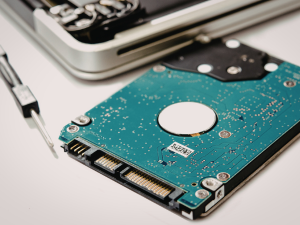
TLDR: Retiring old office electronics requires more than throwing devices away or putting them in storage. Computers, servers, phones, and networking equipment often retain sensitive business data long after they are no longer in use. Without a structured retirement process, businesses face data security, compliance, and environmental risks. Following a clear plan protects company information and ensures responsible disposal.
Every business relies on technology, but no device lasts forever. Desktop computers slow down, servers reach capacity limits, phones stop receiving updates, and networking equipment becomes outdated. Eventually, every organization must decide what to do with aging electronics.
How devices are retired matters just as much as how they are used. Old office electronics often contain sensitive business data, saved credentials, network settings, and client information. Simply unplugging equipment and discarding it can expose your organization to unnecessary risk. A thoughtful documented process for how you retire old office electronics helps protect data, supports compliance requirements, and prevents environmental harm.
Why Old Office Electronics Are a Risk
Outdated electronics still hold valuable information. Hard drives, solid state drives, internal memory, and removable storage do not automatically erase data when files are deleted. Even devices that appear empty may still contain recoverable information.
Research from MIT demonstrated how serious this risk can be. In a study of used hard drives purchased on the secondary market, researchers recovered thousands of credit card numbers, medical records, emails, and corporate financial data. Most of the drives had been formatted or had files deleted, yet the data remained accessible.
Office equipment beyond computers also presents risk. Multifunction printers and copiers store scanned documents. Phones and VoIP systems may store call logs or voicemail. Network hardware often contains saved credentials and configuration details. Any device that once touched your business network should be treated as a potential data exposure point.
Common Mistakes Businesses Make
Many businesses unintentionally put themselves at risk when retiring equipment. Some of the most common mistakes include:
Keeping old devices in storage
Closets, back rooms, and storage units often fill up with outdated electronics. While this may feel safer than disposal, stored equipment can be lost, stolen, or accessed by unauthorized individuals.
Donating or selling devices without proper data removal
Donating computers or selling used equipment can be environmentally responsible, but only if data is fully removed first. Formatting a drive or deleting files is not enough.
Throwing electronics away without documentation
Discarding devices without tracking what was retired, when it happened, and how data was removed creates compliance gaps. Many regulations require proof that data was handled properly.
Forgetting about non computer equipment
Businesses often focus on desktops and laptops but forget about printers, routers, firewalls, access points, phones, and smart displays.
Ignoring remote and hybrid work devices
Laptops and mobile devices used by remote staff may never return to the office. Without clear procedures, these devices may still contain company data long after replacement.
Secure Data Destruction Matters
Proper data destruction is the most critical step when you retire old office electronics. The National Institute of Standards and Technology outlines three general approaches to media sanitization:
Clear
Data is overwritten using approved software. This method may be appropriate for devices that will be reused internally.
Purge
More advanced techniques make data recovery infeasible, including cryptographic erase methods. This is often required before donating or reselling equipment.
Destroy
Physical destruction of the storage media ensures data cannot be recovered. This includes shredding, crushing, or degaussing drives.
Choosing the correct method depends on the sensitivity of the data and the device’s final destination. Devices leaving your control permanently often require purge or destroy methods. Verification is just as important as the process itself. Businesses should confirm that data removal was successful and document the results.
Environmental and Regulatory Considerations
Electronic waste presents environmental hazards when handled improperly. Many devices contain lead, mercury, and other harmful materials. Disposing of electronics in regular trash can result in pollution and regulatory violations.
More than half of U.S. states have laws governing electronic waste recycling. These laws often require businesses to use approved recyclers and prevent electronics from entering landfills. Federal and industry regulations may also require secure disposal of data bearing devices.
Using certified electronics recyclers helps ensure equipment is handled responsibly. Certified providers follow strict environmental and data protection standards, reducing risk to both your business and the environment.
Inventory Tracking and Documentation
A secure retirement process is not complete without documentation. Businesses should maintain records that include:
- Device type, model, and serial number
- Date the device was removed from service
- Data destruction method used
- Verification or certificate of destruction
- Final disposition, such as recycled, destroyed, or donated
This documentation supports audits, compliance requirements, and internal accountability. It also gives leadership confidence that retired assets are no longer a risk.
Remote and Hybrid Work Challenges

Remote and hybrid work environments add complexity to device retirement. Laptops, tablets, and phones may remain with employees who change roles or leave the company. These devices often contain cached credentials, VPN access, and sensitive files.
A strong retirement policy should address:
- Clear return procedures for company owned devices
- Secure remote wiping when return is not possible
- Removal of encryption keys and SIM or memory cards
- Verification that factory resets alone are not relied upon
Mobile device management tools can help enforce policies, but they must be paired with documented offboarding and retirement steps.
Frequently Asked Questions
What should I do before disposing of old office computers?
Identify the device, remove it from active service, securely destroy all data, and document the process before recycling or disposal.
Is deleting files enough to remove business data?
No. Deleted files can often be recovered. Proper wiping, purging, or physical destruction is required.
Can old electronics be donated safely?
Yes, but only after data has been securely removed and verified. Documentation should still be maintained.
How should businesses document retired devices?
Keep records of device details, data destruction methods, dates, and final disposition for compliance and accountability.
Closing Thoughts
Retiring old office electronics does not need to be stressful, but it does need to be intentional. Devices that once supported productivity can quickly become security liabilities if they are not handled correctly. A structured retirement process protects sensitive data, supports compliance, and demonstrates environmental responsibility.
With the right guidance and documentation, businesses can retire equipment confidently and safely. Planning ahead reduces risk and keeps technology working for you, even at the end of its lifecycle.
If you are unsure how your organization currently retires old office electronics, Inland Productivity Solutions can help review your process and close any gaps. Contact us today and protect your business before outdated devices create avoidable problems.


